Data Drift Detection: When Your Model Stops Being Right
Your model was trained on last year's data. The world moved on. Here are the 3 types of drift and how to detect them with Evidently AI.
Your model was trained on last year’s data. The world has moved on. Your model has not.
Your model can return predictions with perfect latency, zero errors, 200 OK on every request. And every single prediction can be wrong.
Operational monitoring tells you the model is running. Statistical monitoring tells you the model is still right.
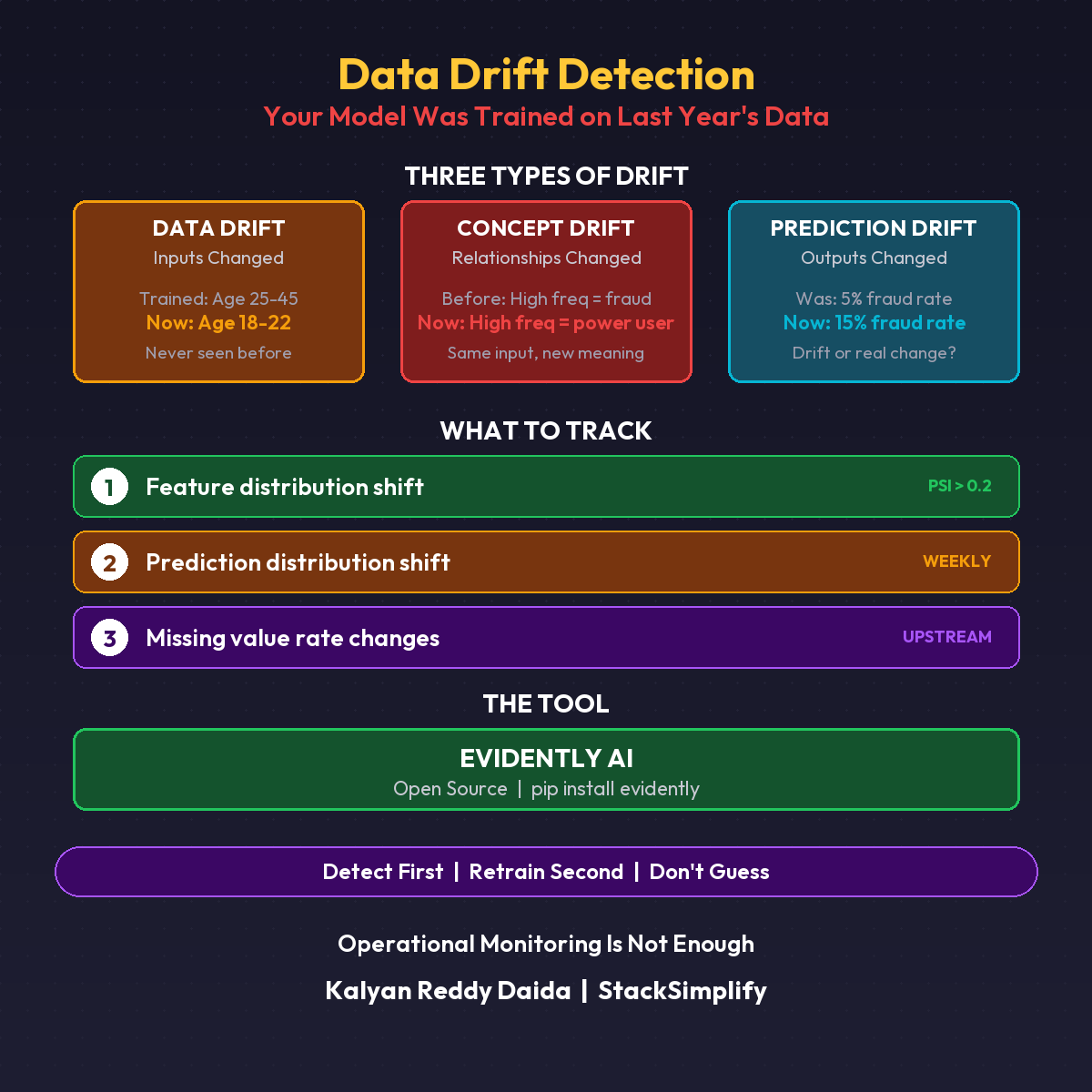
The Three Types of Drift
| Type | What Changed | Example |
|---|---|---|
| Data Drift | The inputs changed | Model trained on ages 25-45, now seeing ages 18-22 |
| Concept Drift | The relationships changed | High frequency used to mean fraud, now means power user |
| Prediction Drift | The outputs changed | Fraud rate prediction jumped from 5% to 15% |
The DevOps Parallel
- Infrastructure monitoring: Is the server healthy?
- Application monitoring: Is the app returning correct responses?
- Data monitoring: Is the model still seeing the right inputs?
You wouldn’t skip application monitoring just because the server is healthy. Don’t skip data monitoring just because the model is running.
What to Track Today
Use Evidently AI (open source). Three checks:
1. Distribution shift on top 5 features Use KS test or PSI score. Alert when PSI > 0.2.
2. Prediction distribution shift Compare this week’s predictions vs training baseline. Alert on significant divergence.
3. Missing value rate changes A feature that was 1% null is now 15% null. Something broke upstream.
Set a weekly batch job. Compare against your training data baseline. That’s it.
What This Doesn’t Cover
This is detection only. You now know the data has drifted. The next question: what do you do about it? Retraining pipelines, automated triggers, data validation gates. That’s the next post.
Detect first. Retrain second.
This is Part 11 of the MLOps for DevOps Engineers series. For weekly updates, join the newsletter.