DVC: Git for Your ML Training Data
You version code with Git. DVC does the same for ML training data. Here is your weekend starter guide to data version control.
You version code with Git. What about your model training data?
If you’ve ever asked “Which dataset trained this model?” or “Can we reproduce last month’s model exactly?”, you need DVC.
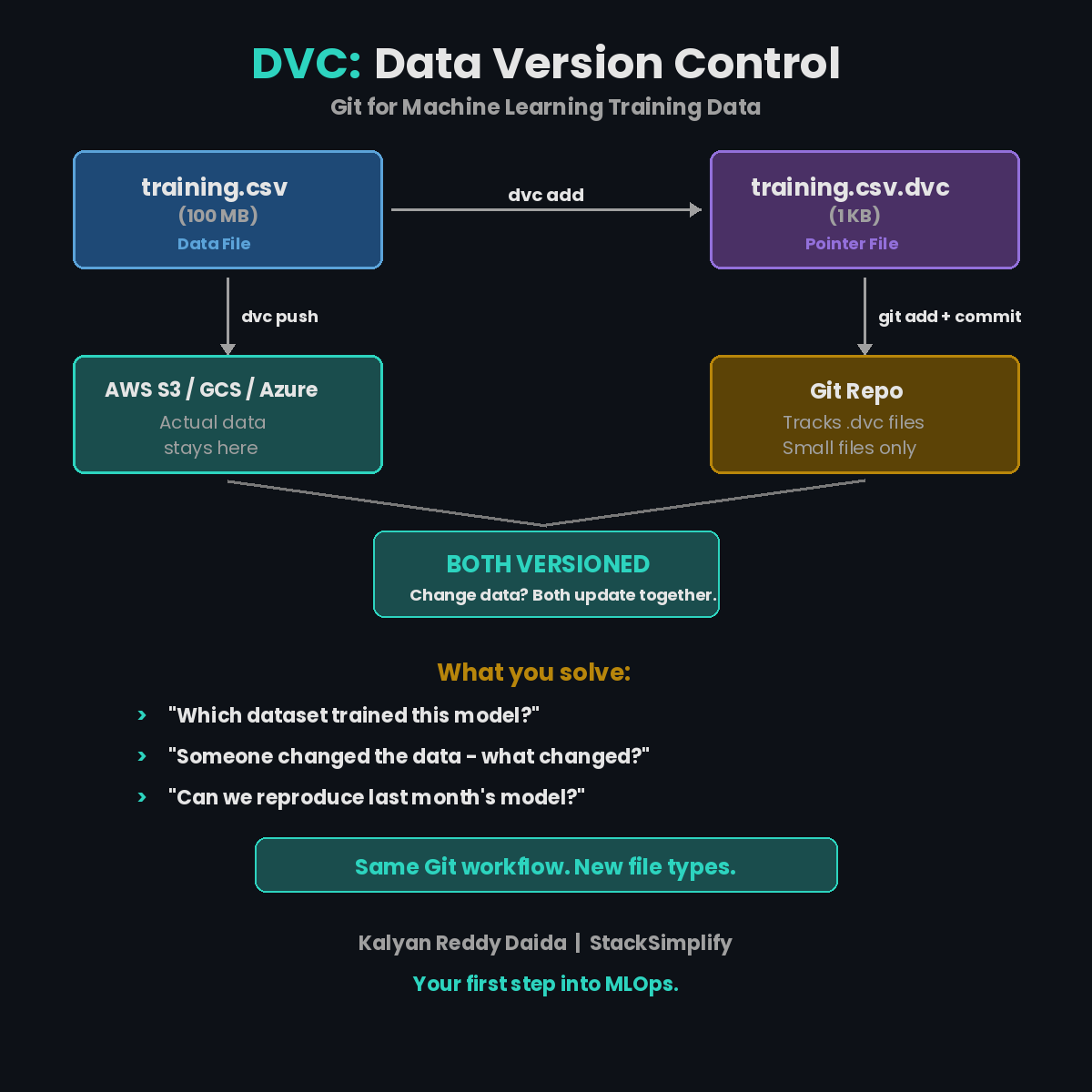
What DVC Solves
| Problem | Without DVC | With DVC |
|---|---|---|
| Which dataset trained this model? | “Check the shared drive, maybe?” | git log shows exact data version |
| Someone changed the training data | No history, no diff | dvc diff shows exactly what changed |
| Reproduce last month’s model | Impossible | git checkout + dvc checkout |
Your Weekend Starter
Six commands. That’s all you need. (Full DVC docs)
| |
Your data is now versioned.
What Just Happened
- DVC hashed your data file (content-addressable storage)
- Created a small
.dvcpointer file (a few bytes) - Git tracks the pointer file (small, fast)
dvc pushsends actual data to remote storage (S3, GCS, Azure Blob)
Data stays out of Git. Versioning stays in Git.
The Workflow
Change the data? Run dvc add again. New hash, new pointer, new commit.
Want last week’s data? git checkout <commit> + dvc checkout. Done.
Same Git workflow. New file types.
The DevOps Parallel
| Git | DVC |
|---|---|
git add | dvc add |
git push | dvc push |
git pull | dvc pull |
git checkout | dvc checkout |
| GitHub/GitLab | S3/GCS/Azure Blob |
If you know Git, you know DVC. The commands are intentionally identical.
Your ML models are only as reproducible as your data. Start versioning it.
This is Part 4 of the MLOps for DevOps Engineers series. Next up: 5 Levels of ML Model Deployment.
For weekly MLOps tips, join the newsletter.