GPU Scheduling on Kubernetes: MIG, Time-Slicing, and Node Pools
One A100 GPU costs $3/hour. Your model uses 12% of it. Here is how GPU sharing on Kubernetes cuts ML infrastructure bills by 60% or more.
One NVIDIA A100 GPU costs $3 per hour on AWS. Your inference pod uses 12% of it. The other 88% sits idle, billed, and wasted.
Kubernetes schedules GPUs as whole devices by default. One pod gets one GPU. No sharing. No slicing. Massive waste for inference workloads.
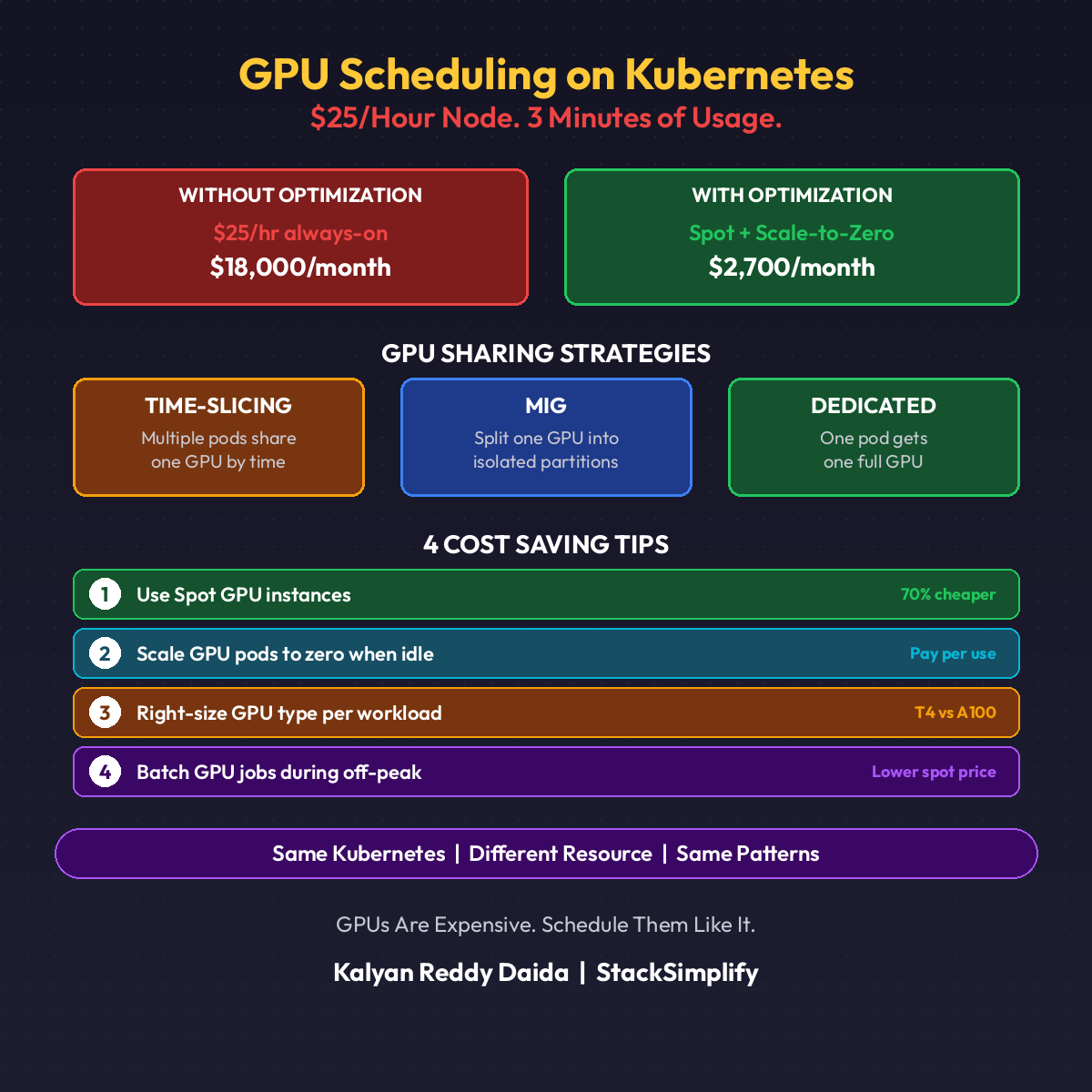
The Problem: One GPU, One Pod
A fraud detection model needs 2GB of GPU memory and runs a few requests per second. The node has an A100 with 40GB. Kubernetes assigns the whole GPU to that one pod.
You now pay for 38GB of unused GPU memory. Scale to 10 models, buy 10 GPUs. That is a $300,000 annual bill for 12% utilization.
Three Ways to Share a GPU
| Approach | How It Works | Best For |
|---|---|---|
| Time-Slicing | Multiple pods share the GPU round-robin | Low-traffic inference, dev/test |
| MIG (Multi-Instance GPU) | Hardware-level partitioning into up to 7 slices | Production inference, isolation required |
| MPS (Multi-Process Service) | Process-level GPU sharing with concurrent kernels | High-throughput batch inference |
Time-Slicing: The Quick Win
Time-slicing is the easiest to enable. The NVIDIA GPU Operator handles it with a ConfigMap:
| |
One physical GPU now appears as 4 schedulable GPUs to Kubernetes. Four pods can request nvidia.com/gpu: 1 and all land on the same device.
Trade-off: No memory isolation. Pod A can OOM pod B. Acceptable for dev, risky for prod.
MIG: Hardware Partitioning
MIG partitions an A100 into up to 7 isolated instances. Each instance has dedicated memory, cache, and compute units. True hardware isolation.
| Profile | Memory | Use Case |
|---|---|---|
1g.5gb | 5GB | Small inference models |
2g.10gb | 10GB | Medium models |
3g.20gb | 20GB | Large language model shards |
7g.40gb | 40GB | Full GPU (training) |
Mix profiles on the same GPU: two 3g.20gb for big models + one 1g.5gb for a sidecar. Zero noisy-neighbor risk.
Production inference? Use MIG. The isolation is worth the slightly higher configuration overhead.
Node Pool Strategy
Not every pod needs a GPU. Mixing CPU and GPU pods on the same node wastes GPU capacity and risks scheduling chaos.
Create dedicated GPU node pools with taints:
| |
Only pods with matching tolerations land here. Your web backends stay on cheap CPU nodes. Your GPU nodes stay full of GPU workloads.
Pair this with the Cluster Autoscaler or Karpenter so GPU nodes scale to zero when no ML pods exist.
The Cost Math
Real numbers from a customer running 10 inference models:
| Setup | GPUs Needed | Monthly Cost |
|---|---|---|
| One GPU per pod | 10 | $21,600 |
| Time-slicing (4x) | 3 | $6,480 |
| MIG (3g.20gb, 2 per GPU) | 5 | $10,800 |
Time-slicing cut the bill 70%. MIG cut it 50% with full isolation. Pick the one that matches your risk tolerance.
When Not to Share
| Workload | Share? |
|---|---|
| Training a large model | No. Use the full GPU |
| Latency-critical inference (<10ms) | No. Time-slicing adds jitter |
| Standard REST inference | Yes. Time-slice or MIG |
| Batch scoring jobs | Yes. MPS for max throughput |
Match the sharing strategy to the workload. (See also Part 18: ML Cost Optimization for scale-to-zero patterns.)
Quick Reference
| Tool | Purpose |
|---|---|
| NVIDIA GPU Operator | Install drivers, device plugin, MIG manager |
| MIG Manager | Apply MIG profiles declaratively |
| Karpenter | Autoscale GPU nodes to zero |
| DCGM Exporter | GPU metrics into Prometheus |
This is Part 21 of the MLOps for DevOps Engineers series. Hands-on courses on Kubernetes and MLOps are available at stacksimplify.com/courses. For weekly updates, join the newsletter.