ML Retraining Pipelines: From Drift Alert to Production Model
Your drift detector triggered. Now what? Here is the retraining pipeline every MLOps team needs, with quality gates to prevent deploying garbage.
Your drift detector triggered an alert. Now what?
Most teams freeze. The runbook says “retrain the model.” Nobody knows how. Monitoring without a retraining pipeline is like alerting without a runbook.
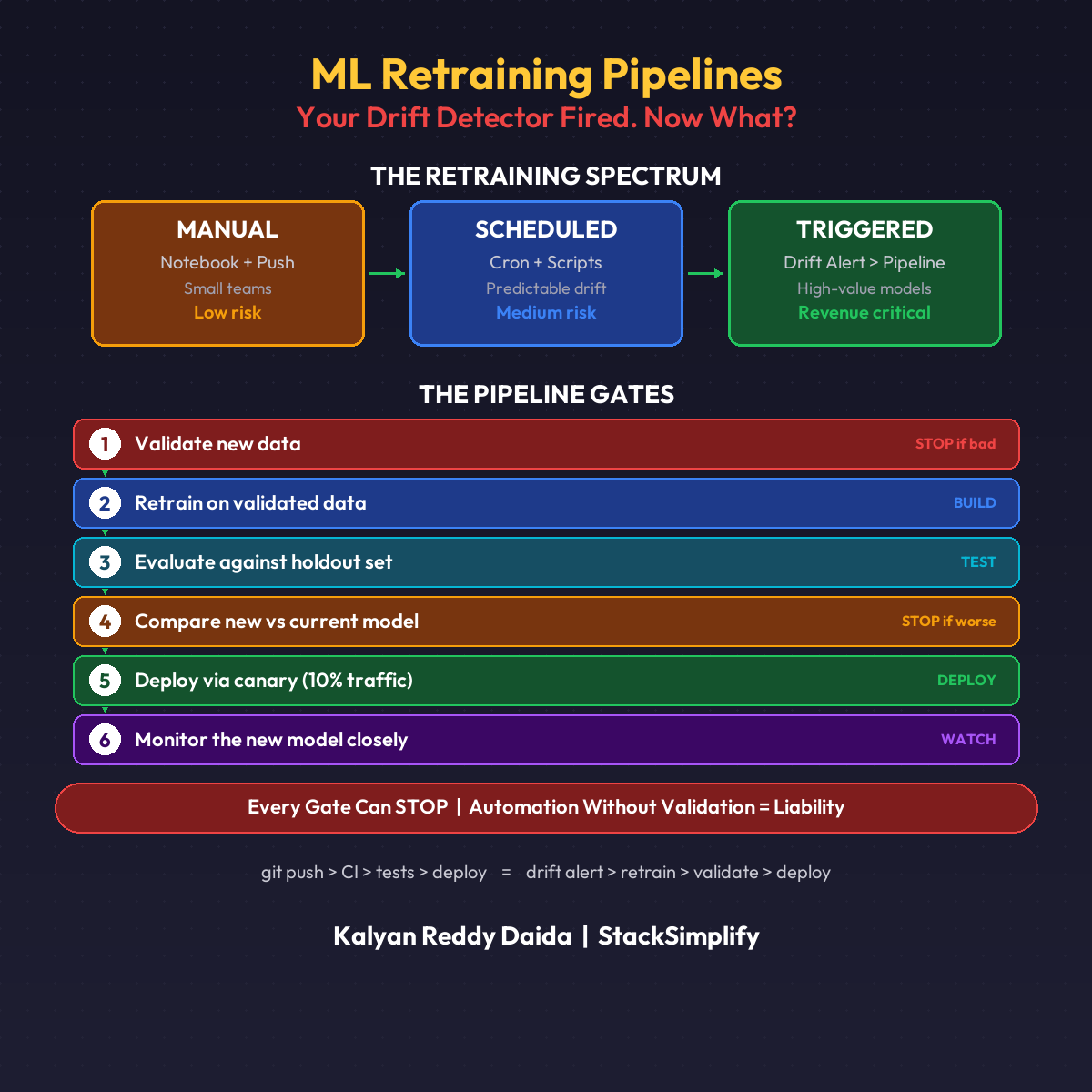
The Retraining Spectrum
| Level | Trigger | Best For |
|---|---|---|
| Manual | Data scientist retrains in a notebook | Small teams, low-risk models |
| Scheduled | Cron job retrains every week/month | Predictable drift patterns |
| Triggered | Drift detector kicks off pipeline automatically | High-value models |
Most teams should start with manual. Move to scheduled. Graduate to triggered.
The DevOps Parallel
Code pipeline: git push > build > test > deploy
ML pipeline: data change > retrain > evaluate > deploy
Same pattern. Different trigger. Instead of a git push, the trigger is a drift alert.
The 6 Quality Gates
Every retraining pipeline needs these gates (orchestrated with tools like MLflow and SageMaker Pipelines):
- Validate new data (schema, volume, quality checks)
- Retrain on validated data
- Evaluate against holdout set
- Compare new model vs current model
- Deploy via canary (not full cutover)
- Monitor the new model closely
Skip any gate and you risk deploying a worse model.
The Dangerous Part
Automated retraining without guardrails is how you deploy garbage to production at 2 AM with nobody watching.
Every gate must have a failure condition:
- New data fails quality checks? Stop.
- New model performs worse than current? Stop.
- Canary shows regression? Rollback.
Automation without validation is not a pipeline. It’s a liability.
This is Part 12 of the MLOps for DevOps Engineers series. For weekly updates, join the newsletter.