MLflow in 60 Seconds: The Complete ML Model Lifecycle
From training to production in 5 steps. How MLflow tracks experiments, versions models, and enables instant rollbacks with zero code changes.
How does an ML model actually get from training to production?
If you’re a DevOps engineer stepping into MLOps, MLflow is the first tool you need to understand. It handles the entire lifecycle: tracking experiments, versioning models, and serving them in production.
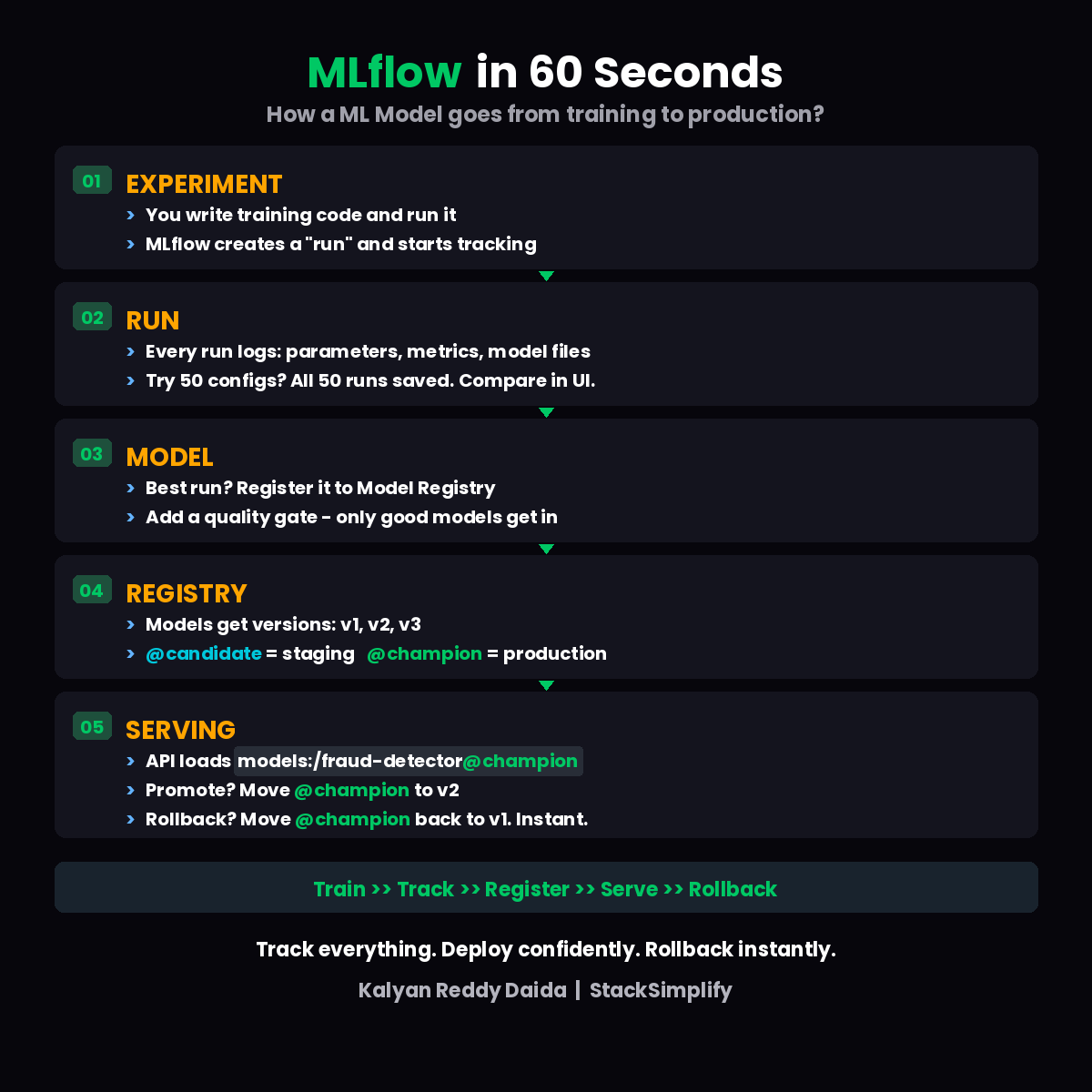
The 5-Step Lifecycle
Here’s the full journey of a model, from code to production.
| Step | What Happens | DevOps Analogy |
|---|---|---|
| Experiment | Write training code, MLflow creates a “run” | Starting a CI build |
| Run | Logs parameters, metrics, model files | Build artifacts + test results |
| Model | Best run registered to Model Registry | Pushing image to Container Registry |
| Registry | Versions (v1, v2, v3) with aliases (@champion, @candidate) | Image tags (:latest, :staging, :prod) |
| Serving | API loads models:/fraud-detector@champion | K8s Deployment pulling :prod tag |
Step 1: Experiment
You write training code and run it. MLflow automatically creates a “run” and starts tracking everything.
No manual logging. No spreadsheets. No “which notebook produced this model?” guessing.
Step 2: Run
Every run logs three things:
- Parameters (learning rate, batch size, model type)
- Metrics (accuracy, F1 score, loss)
- Model files (the actual trained model artifact)
Try 50 different configurations? All 50 runs are saved. Compare them side-by-side in the MLflow UI.
Think of it as build history for training runs. Every experiment is traceable.
Step 3: Model Registration
Found the best run? Register it to the Model Registry.
But don’t auto-register everything. Add a quality gate: only models that pass your accuracy threshold get registered. This keeps your registry clean and production-ready.
| |
Step 4: Registry and Aliases
Registered models get versions: v1, v2, v3. Each version can be aliased:
@candidate= ready for staging tests@champion= currently serving in production
If you’ve used Container Registry with image tags like :staging and :prod, this is the exact same pattern. Just for ML models instead of Docker images.
Step 5: Serving and Rollback
Your inference API loads models by alias:
| |
New model ready? Move the @champion alias from v1 to v2. Your API picks up v2 automatically.
v2 broken? Move @champion back to v1. Instant rollback.
Zero code changes. Zero redeployment.
Train, Track, Register, Serve, Rollback. That’s the full lifecycle.
Getting Started in 5 Minutes
| |
Add one line to your training script:
| |
Then launch the UI:
| |
Open http://localhost:5000 and see all your experiments in the browser. That’s it.
Quick Reference
| Concept | MLflow Feature | Command/API |
|---|---|---|
| Track experiments | Autolog | mlflow.autolog() |
| Compare runs | MLflow UI | mlflow ui |
| Version models | Model Registry | mlflow.register_model() |
| Promote to prod | Aliases | Set @champion on version |
| Rollback | Alias swap | Move @champion to previous version |
MLflow is one of the core tools in the MLOps stack. In the next part of this series, we’ll cover DVC for data version control, the Git equivalent for large datasets.
I’m building hands-on courses on MLOps with AWS SageMaker and MLflow coming in 2026. For weekly updates, join the newsletter.